Elastic SIEM
集成 GravityZone 云端与Elastic SIEM整合
作为 Bitdefender 合作伙伴,您可通过 GravityZone 利用 GravityZone API及Elastic Agent实现与Elastic的集成。该服务支持您从 GravityZone 控制中心 至Elastic。
要求
-
基础版Elastic Stack许可证或更高版本
-
Elastic集成 2.1.1或更高版本
-
Kibana 8.14.3或更高版本
-
已配置的 Elastic Agent 作为收集器
-
已配置的 Fleet Server (用于配置和管理Fleet Server集成的代理管理平台)。
集成步骤
在 GravityZone 控制中心
-
登录 GravityZone 控制中心 .
-
进入 我的账户 .
-
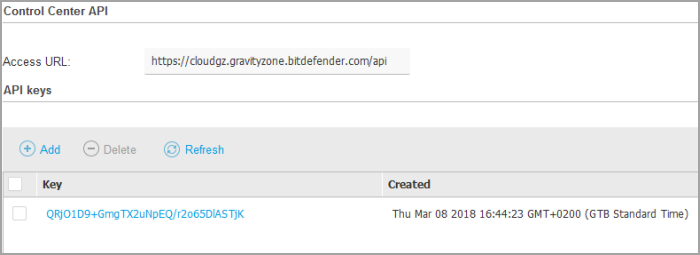
在 API密钥 部分,点击 添加 .
-
选择 事件推送服务API 复选框并点击 保存 。新密钥将出现在 API密钥 表中。
-
点击 保存 以应用更改。
在Kibana中配置集成
-
使用管理员账户登录Kibana。
-
在主菜单中点击 管理 并选择 添加集成 .
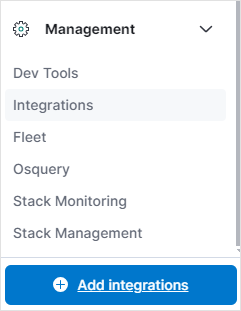
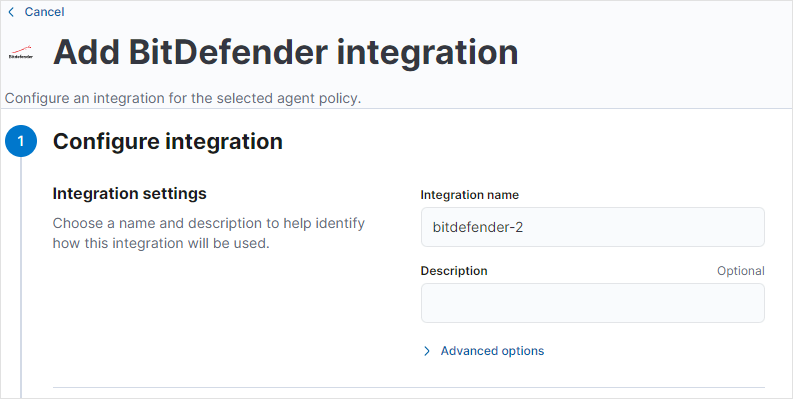
此时 添加BitDefender集成 窗口将显示。
-
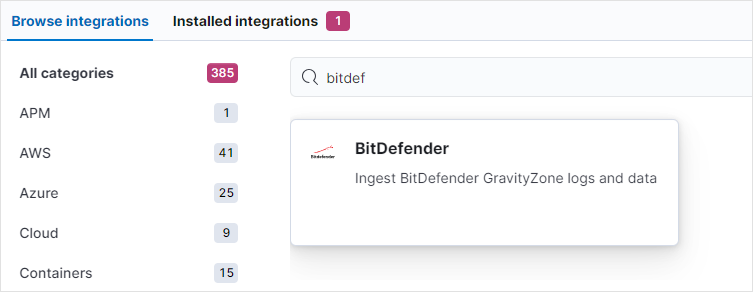
在 浏览集成 标签页下,使用搜索功能定位 Bitdefender 集成并选中。
-
点击 添加BitDefender 按钮。
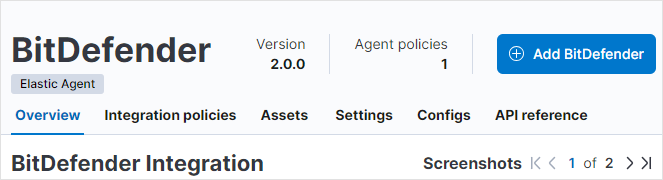
随后 配置集成 窗口显示。
-
在 集成设置 部分填写信息:
-
集成名称 :新集成的名称
-
描述 :简要描述以便于识别该集成
-
-
向下滚动至 接收推送通知事件 选项,启用它,然后填写信息:
-
在 BitDefender GravityZone 推送通知ID 下,保留默认值。
注意
如果您有多个 GravityZone 公司需要集成,请查阅Elastic文档以确定需要输入的内容。
-
在 公司ID到公司名称的映射 下,为每个受监控的公司添加
ID:名称对。 -
确保 BitDefender GravityZone推送通知 选项已启用。
-
设置 监听地址 设置为
0.0.0.0. -
在 监听端口 处输入
8443. -
生成随机密码并填写至 授权值 .
提示
该密钥将用于后续在 GravityZone .
-
-
生成或购买安全证书,并将其存储于接收数据的Elastic Agent所在终端。
-
按以下方式配置代理HTTP监听器的TLS设置。保持默认的webhook路径(
/bitdefender/push/notification).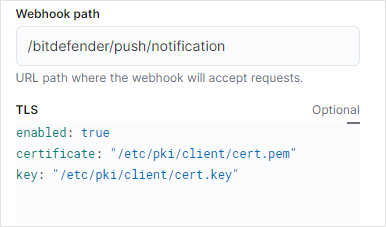
-
向下滚动至 轮询推送通知信息 选项,确保其已启用,并配置以下设置:
-
在 BitDefender GravityZone推送通知ID 字段保留默认值。
注意
如需整合多个 GravityZone 公司,请查阅Elastic文档以确定所需输入内容。
-
在下方添加事件推送服务API的URL BitDefender GravityZone API推送端点URL 使用此格式
https://<cloud_control_API_URL>/api/v1.0/jsonrpc/push
参数
描述
cloud_control_API_URL
//添加描述
-
-
输入在 启用事件推送API于 GravityZone 控制中心 部分中创建的密钥,位于 GravityZone API密钥 .
-
向下滚动至 推送通知配置 选项并启用它。
可选地,您可以点击 高级选项 按钮更改统计信息的轮询时间。
-
向下滚动至 推送通知统计 选项并启用它。
可选地,您可以点击 高级选项 按钮更改集成状态于 GravityZone .
-
向下滚动至 在何处添加此集成? 部分,转到 现有主机 选项卡,并在 代理策略 部分下配置设置:
-
在 代理策略 中,选择用于接收来自 GravityZone .
-
-
滚动到页面底部并点击 保存 .
在 GravityZone
中启用Elastic集成 GravityZone 控制中心 创建事件推送服务密钥后,您需要启用集成。这意味着您需要开始将事件从 GravityZone 发送到Elastic。
使用 setPushEventSettings 方法开始发送数据:
{
  "params": {
    "status": 1,
    "serviceType": "jsonRPC",
    "serviceSettings": {
      "url": "https://<agent_ip>:<agent_port>/<webhook_path>",
      "requireValidSslCertificate": false,
      "authorization": "<secret>"
    },
    "subscribeToEventTypes": {
      "hwid-change": true,
      "modules": true,
      "sva": true,
      "registration": true,
      "supa-update-status": true,
      "av": true,
      "aph": true,
      "fw": true,
      "avc": true,
      "uc": true,
      "dp": true,
      "device-control": true,
      "sva-load": true,
      "task-status": true,
      "exchange-malware": true,
      "network-sandboxing": true,
      "malware-outbreak": true,
      "adcloud": true,
      "exchange-user-credentials": true,
      "exchange-organization-info": true,
      "hd": true,
      "antiexploit": true
    }
  },
  "jsonrpc": "2.0",
  "method": "setPushEventSettings",
  "id": "1"
}
|
变量 |
描述 |
|---|---|
|
|
接收来自 GravityZone . |
|
|
在 监听端口 下输入的端口(参见 在Kibana中配置集成 步骤的第6步)。 |
|
|
在 在Kibana中配置集成 步骤的第7步输入的端口。 |
|
|
在 授权值 下输入的端口(参见 在Kibana中配置集成 步骤的第6步)。 |